A dedicated market view
Follow a market, review an outcome and manage a position in one interface. Keep the distinction between available information and the action you choose to take.
 Lotos World
Polymarket Terminal
The Lotos Polymarket terminal brings market information and position management into a focused interface. Use premium indicators and Compass as research context, then make your own trading decisions in the terminal.
Access opens through Telegram. If a partner brought you here, Get Access keeps the saved referral link.
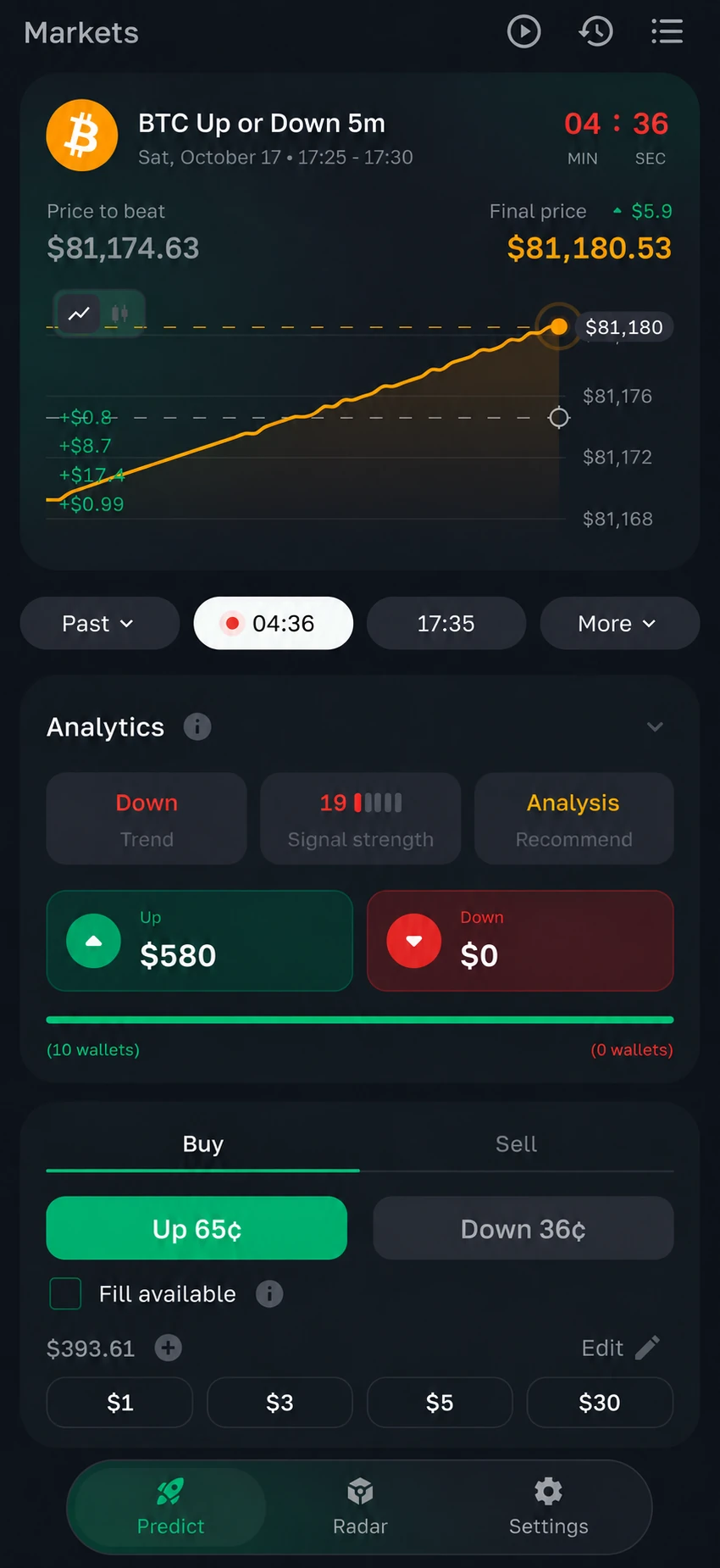
Follow a market, review an outcome and manage a position in one interface. Keep the distinction between available information and the action you choose to take.
Premium indicators provide additional context for BTC, ETH and SOL. Compass is a separate read-only view for comparing market conditions before a manual decision.
Take profit, stop loss, copy trading and further indicator-based entry tools are development directions. Check the current terminal rather than treating roadmap items as released features.
Use Get Access to continue through the saved partner link, or the public Telegram entry if no partner is saved.
Review available tools, market coverage and plan terms in the terminal. Features may differ between products.
Use the information as research context. Review risks before taking any action with your wallet or position.
The Polymarket terminal is for prediction markets and their outcomes. DEX Radar focuses on discovering tokens and reviewing on-chain information. They belong to the same ecosystem but serve different research and trading needs.
No. Compass provides read-only market context. You choose whether to act and carry out the action in the terminal; a screen or indicator is not an instruction to trade.
The current product presentation covers BTC, ETH and SOL. Markets, timeframes and data availability should be checked in the current terminal and Compass interface.
These features are described as part of the development roadmap. Their presence on this page is not a release announcement. Check the terminal and official product updates for current availability.
Start with Get Access and review the current plan inside the terminal. If a partner link is saved, the button keeps that referral. A plan gives access to the applicable tools, not a guarantee of trading results.